

 +1.844.3539.746
 info@flexsin.com
The Product Development Strategy Mistakes That Kill New Products Early
 Munesh Singh
Let's talk
Table of Contents:
- Rethinking What Product Development Means Today
- The Six Stages of the Product Development Process
- Why the Product Development Lifecycle Keeps Breaking Down
- What High-Performing Teams Do Differently in Product Development
- The Role of Technology in Product Development Process
- Ready to Turn Great Ideas into Winning Products?
- Frequently Asked Questions
Ninety-five percent of new products fail. That figure is not a typo, a rounded estimate, or startup folklore – it is the industry consensus across multiple research bodies, from Harvard Business Review to the Product Development and Management Association. In a world of increasingly sophisticated tooling, richer market data, and seasoned product talent, the product development failure rate has barely moved in two decades. The question every enterprise leader should be asking is not how to build faster. It is how to build with precision, discipline, and the kind of structured process that turns market bets into repeatable wins.
Rethinking What Product Development Means Today
Most teams define product development too narrowly. They treat it as the engineering sprint between a signed-off spec and a deployment pipeline. That framing collapses at the first customer interview.
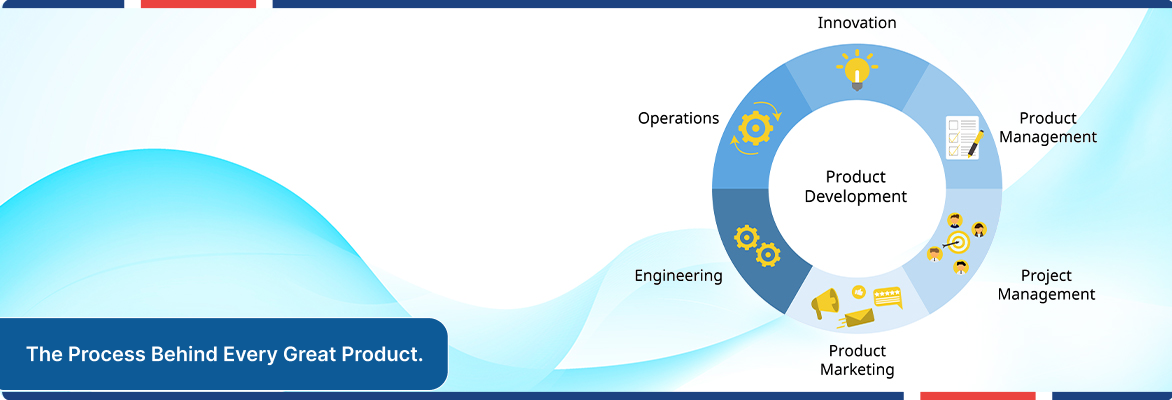
Product development is the end-to-end process of transforming a market problem into a repeatable commercial solution. It spans ideation, validation, design, build, test, launch, and iteration – not just the build phase. The development team may own the code, but the product development lifecycle owns the strategy, the customer, and the revenue outcome.
For organizations building complex digital products, a digital product engineering company can connect product strategy, UX, architecture, development, testing, and continuous improvement within one delivery model.
The distinction in product development strategy matters because it changes who is accountable. When product development is treated as an engineering function alone, market research arrives late, customer signals get filtered through layers of internal assumption, and the go-to-market product strategy gets bolted on at the end rather than baked in from the start.
The Six Stages of the Product Development Process
Stage 1: Idea Generation and the Product Ideation Process
Every viable product begins with a friction point someone is experiencing right now. The product ideation process is not about generating more ideas – it is about surfacing the ones grounded in real, observed pain. Structured ideation of product development strategy draws from customer interviews, competitive analysis, internal sales data, and market trend mapping.
Stage 2: Concept Validation
This is where most of the 95% failure rate gets determined. New product development teams that skip rigorous validation are not saving time – they are borrowing it from a future they will never reach. Validation means testing core assumptions: Does the customer recognize the problem? Would they pay to solve it? Is the proposed solution meaningfully better than their current workaround?
Stage 3: Design and the Product Development Roadmap
Design here means two things simultaneously. First, the user experience architecture – how the product behaves, looks, and communicates. Second, the technical architecture – how it is built, scaled, and maintained. The product development roadmap locks the sequencing logic between these two planes, so engineering and design teams move in the same direction.
Effective software product development services bring these two dimensions together by aligning user experience decisions with scalable architecture, development priorities, and long-term product goals.
Stage 4: Prototyping and the Minimum Viable Product
Speed matters here, but not the way most teams think. The goal of a prototype is not to demonstrate readiness for launch – it is to generate the fastest possible feedback loop with the fewest resources. The minimum viable product framework disciplines teams to ship what tests the core value proposition, not what satisfies internal stakeholders.
Experienced software development services can help teams turn the validated product concept into an MVP without overbuilding features that have not yet been proven with users.
Stage 5: Testing and Iteration
According to PDMA benchmark data, top-performing firms complete development cycle times 20-25% faster than their peers (PDMA Global Best Practices Research, https://www.pdma.org). They do not move faster because they test less. They move faster because their cross-functional product teams catch defects earlier, when the cost to fix is still low.
Stage 6: Launch and Go-to-Market Product Strategy
Only 40% of developed products ever reach the market, and of those, only 60% generate meaningful revenue. Companies with a structured go-to-market product strategy see 10% higher launch success rates and three times greater revenue growth than competitors running ad-hoc launches, according to research cited by PepperInsight (2025).

Why the Product Development Lifecycle Keeps Breaking Down
Three structural failures account for the majority of product deaths. First, teams treat customer research as a pre-development activity rather than a continuous input. The moment customer feedback stops flowing into the product development process, the team starts building for an audience that no longer exists.
Second, digital product development programs underinvest in cross-functional product teams early. When design, engineering, data science, and commercial leads operate in sequential silos rather than concurrent collaboration, handoff gaps compound into months of rework.
Third, leadership mistakes activity for progress.
What High-Performing Teams Do Differently in Product Development
The firms that consistently outperform on new product development and time for market product share three practices that their competitors treat as optional extras.
They run parallel validation tracks for NPD process. Instead of completing each stage before starting the next, they design overlapping gates where market validation, technical feasibility, and commercial modeling run concurrently. This is what compresses the 22-month average of t into something a market actually cares about.
They treat the product development strategy framework as a living system, not a project plan. The roadmap gets reviewed on a fixed cadence – not only when something breaks. Milestones are tied to customer metrics, not internal deliverables. The product development strategy shifts when the data shifts, and the team is structured to absorb that shift without losing momentum.
They apply product development cost reduction discipline from the concept stage.
The Role of Technology in Product Development Process
Generative AI is already reshaping the early stages of the product development process. As of 2024, 28% of organizations use generative AI for product design, with cycle time reductions of up to 70% reported in specific use cases (StartUs Insights, 2025). That statistic is arresting. It does not mean AI replaces design judgment – it means the teams that integrate AI tooling into their product ideation process generate and discard concepts faster, arriving at validated ideas with less wasted effort.
Digital twin technologies present a similar efficiency lever at the prototyping stage of product development strategy. McKinsey research indicates digital twins reduce total development times by 20-50% and cut the number of physical prototypes required – which is relevant for any organization running hardware or physical product lines alongside software development.
Digital engineering services can further connect digital twins, AI-assisted design, simulation, and software development into a more integrated product engineering workflow.
Ready to Turn Great Ideas into Winning Products?
Flexsin works with enterprise and mid-market organizations to design, build, and launch products that hold up in the real world – not just on a roadmap slide. Our product development consulting practice combines process architecture, cross-functional prodcut team design, and AI-augmented delivery to shorten your time-to-market and reduce the cost of getting it wrong. Whether you are starting from a rough concept or rescuing a stalled initiative, Flexsin brings structured methodology and hands-on execution. Let the next product you ship be the one that sticks.
Frequently Asked Questions:
1. What is the product development process? The product development process is the structured sequence of product development stages – from ideation and validation through design, build, test, and launch – that takes a market problem and transforms it into a commercially minimum viable product.
2. How long does new product development typically take? On average, the new product development journey runs approximately 22 months from initial concept to market launch, according to Protolabs research. Top-performing organizations with defined product development frameworks and cross-functional team structures consistently compress this timeline by 20-25% compared to industry peers.
3. What are the stages of the product development lifecycle? The product development lifecycle typically includes six stages: idea generation, concept validation, design and roadmapping, prototyping and MVP build, testing and iteration, and market launch.
4. How much does product development cost, and can it be reduced?Product development cost reduction of up to 35% is achievable through disciplined planning, a flexible business model, and a well-defined product development roadmap, according to Deloitte’s 2024 Manufacturing Industry Outlook.
5. What is the difference between agile product development and traditional stage-gate? Agile product development strategy uses short, iterative sprints with continuous customer feedback to build, test, and adjust incrementally – prioritizing speed and adaptability over fixed plans. Traditional stage-gate product development processes use structured review gates between defined phases to control risk and resource commitment.
6. Why do most new products fail?The primary cause is building for a problem customers do not actually have – or at least do not prioritize paying to solve. Research consistently shows that 42% of new product failures trace back to no real market need.
7. How does digital product development differ from physical product development?Digital product development cycles are shorter and more iterative, with lower marginal cost for changes post-launch and continuous delivery pipelines that make staged rollouts practical.
